.png?fit=max&auto=format&n=tUtwuHgibAuVylZ9&q=85&s=44653a825fa0664047dae92cd8969b2d)

How to upload files
Follow these steps to upload media to your team’s storage:1
Navigate to Storage
Open your Dashboard and select Storage from the sidebar menu.
2
Open the Upload Dialog
Click the Upload button located at the top right of the storage interface.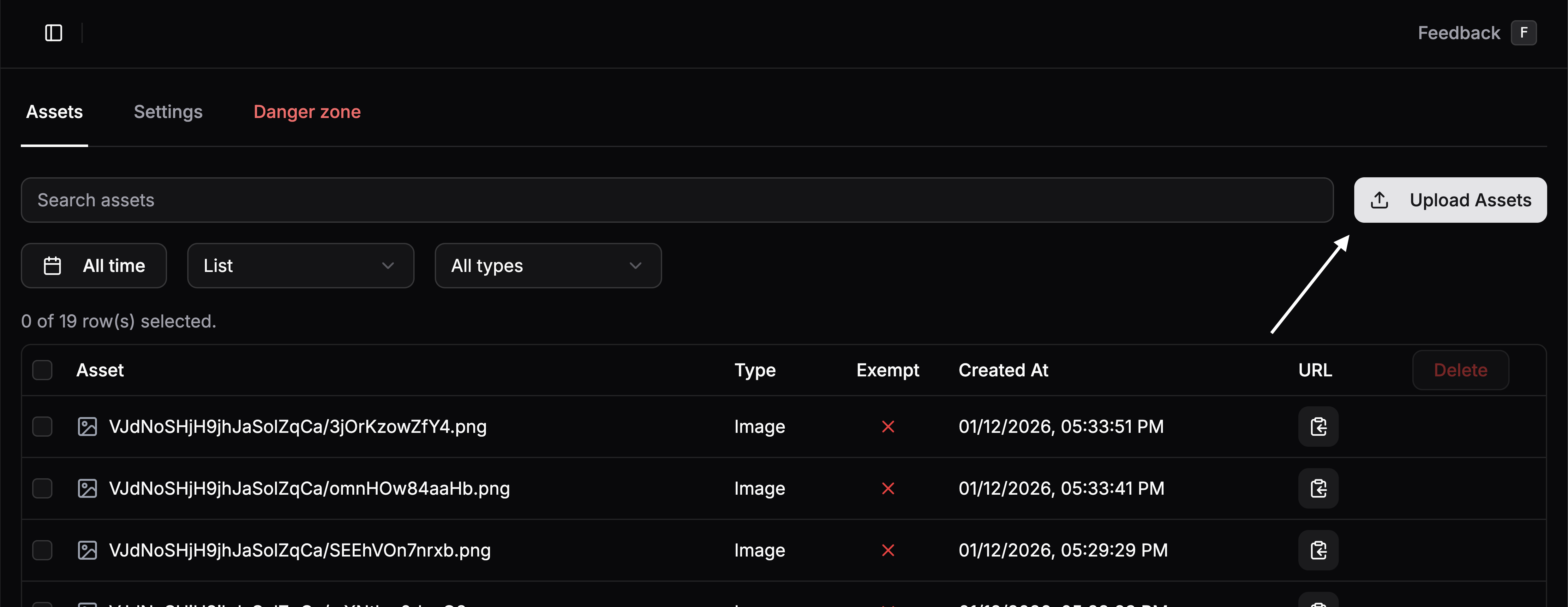
3
Select or Drag Files
You can either click the dashed area to open your file browser or simply drag and drop your files directly into the dialog.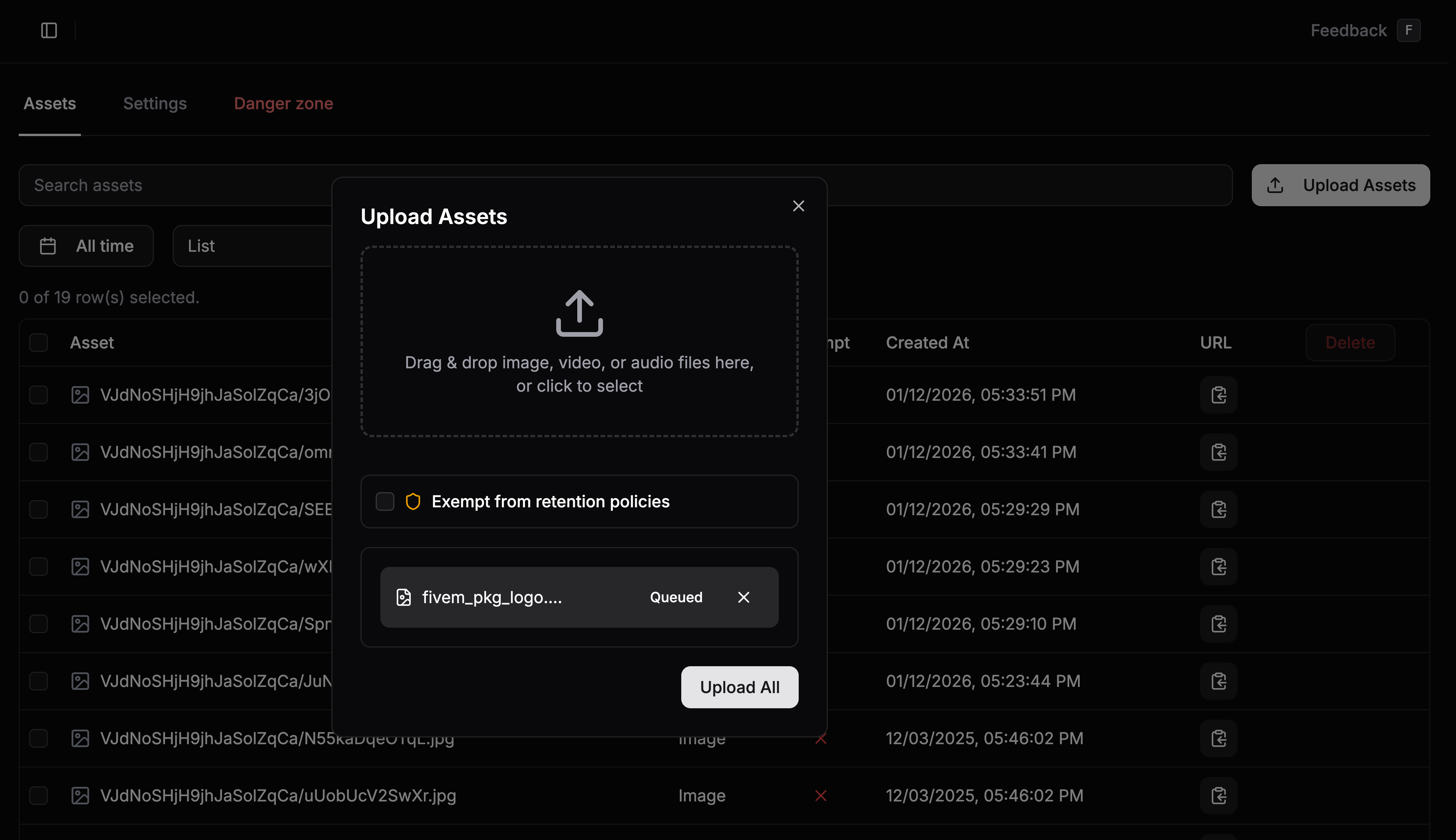
Fivemanage supports images, videos, and audio files up to 1GB per file.
4
Configure Retention Exemption (Optional)
If you want specific files to be kept permanently regardless of your team’s auto-deletion policies, check the Retention Exempt box.
Files marked as Retention Exempt will never be automatically deleted by the system.
5
Start the Upload
Click Upload All to begin the process. You can monitor the progress of each file individually. Once finished, you’ll receive a notification and the files will appear in your storage list.
Retention Exemption
By default, Fivemanage may automatically delete older files based on your team’s retention settings to help manage storage and costs.Why use Retention Exemption?
- Permanent Assets: For logos, UI elements, or critical evidence that must never be deleted.
- Specific Overrides: Allows you to keep individual files even if your general policy is set to 7 or 30 days.
Retention Policies & Quality
You can manage your global retention policies in the Storage Settings tab.- Per-type Retention: Set different expiration periods for images, videos, and audio.
- Image Quality: Optionally override image quality to optimize for storage space or performance.